
 Setting up apparatus
 Video capture & tracking
 Observing behaviour
 Connecting equipment
 Automating complex tests
 Running tests
 Results
 Visualising data
 Analysis
 Transferring data
 Open field
 Water-maze
 Y-maze
 Fear conditioning
 Novel object
 Barnes maze
 Radial arm maze
 Light/dark box
 Operant conditioning
 Zebrafish
 Computers
 Multifunction remote
 Accessories
 Digital interface
 Optogenetic interface
 Synchronisation interface
 Relay interface
 Audio interface
 Touch interface
 Analogue interface
 USB TTL cable
 Animal shocker
 Components
 Place preference
 ANY-box
 T-maze
 Zero maze
 Hole board
 Sociability cage
 OPAD
OPAD RAPC
RAPC Waterwheel forced swim test
 Thermal gradient ring
 Operon
 Activity Wheel
 Full ANY-maze licence
 Other licence types
 Developing countries licence
 Contact support
 Support Policy
 FAQs
FAQs Guides
 Downloads
 Send us files
 Activate a licence ID
 Documentation
 Contact us
 Blog
Blog About
About Testimonials
 Privacy Policy
Does your video feed look like the one shown below? And are you using a USB 2.0 camera and a computer with an Intel processor? Then this FAQ probably applies to you.
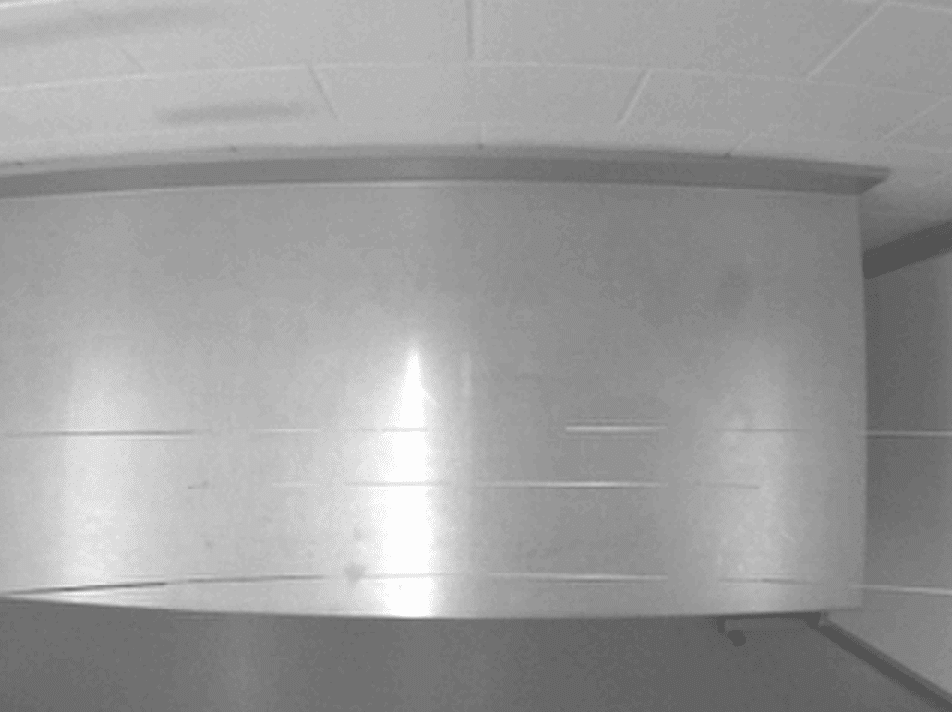
This ‘streakiness’ is a known, worldwide issue caused by how some USB 2.0 video devices interact with the power-saving features built into modern Intel processors. To save power, modern Intel CPUs frequently drop into low-power “idle” states (such as the C3 state) whenever the system thinks it can spare the performance. On a USB 2.0 (or even USB 1.1) connection, the timing of that power management can briefly interrupt the transfer of image data between the USB controller and the computer’s memory. When that transfer is interrupted in the middle of a frame, the camera can’t finish delivering a complete frame to your video capture software. The incomplete frame shows up on screen as horizontal streaks, lines, or a torn-looking image in the live feed.
The permanent fix is to use a USB 3.0 camera connected to a USB 3.0 (or newer) port and controller. USB 3.0 devices transfer data differently and are not affected by this particular CPU power-state issue.
But if switching to USB 3.0 isn’t an option right now, you can try installing the free Processor Idle State Manager from The Imaging Source. It works by preventing the PC from dropping Intel processors into the C3 idle state, which gives USB 2.0 cameras a more consistent stream of power and can noticeably improve performance. After installation, simply open the software and it will run in the background.
Note: Processor Idle State Manager often reduces the streaking, but because it’s working around a hardware/CPU interaction rather than eliminating it, it may not resolve the issue completely. Moving to a USB 3.0 camera and controller remains the only guaranteed fix.