
 Setting up apparatus
 Video capture & tracking
 Observing behaviour
 Connecting equipment
 Automating complex tests
 Running tests
 Results
 Visualising data
 Analysis
 Transferring data
 Open field
 Water-maze
 Y-maze
 Fear conditioning
 Novel object
 Barnes maze
 Radial arm maze
 Light/dark box
 Operant conditioning
 Zebrafish
 Computers
 Multifunction remote
 Accessories
 Digital interface
 Optogenetic interface
 Synchronisation interface
 Relay interface
 Audio interface
 Touch interface
 Analogue interface
 USB TTL cable
 Animal shocker
 Components
 Place preference
 ANY-box
 T-maze
 Zero maze
 Hole board
 Sociability cage
 OPAD
OPAD RAPC
RAPC Waterwheel forced swim test
 Thermal gradient ring
 Operon
 Activity Wheel
 Full ANY-maze licence
 Other licence types
 Developing countries licence
 Contact support
 Support Policy
 FAQs
FAQs Guides
 Downloads
 Send us files
 Activate a licence ID
 Documentation
 Contact us
 Blog
Blog About
About Testimonials
 Privacy Policy
If your apparatus map inadvertently moved between tests, you should NOT use the Protocol page to fix this, as this will change the map for all tests you’ve already performed. Instead, use the Adjust the apparatus map tool, located on the Tests page.
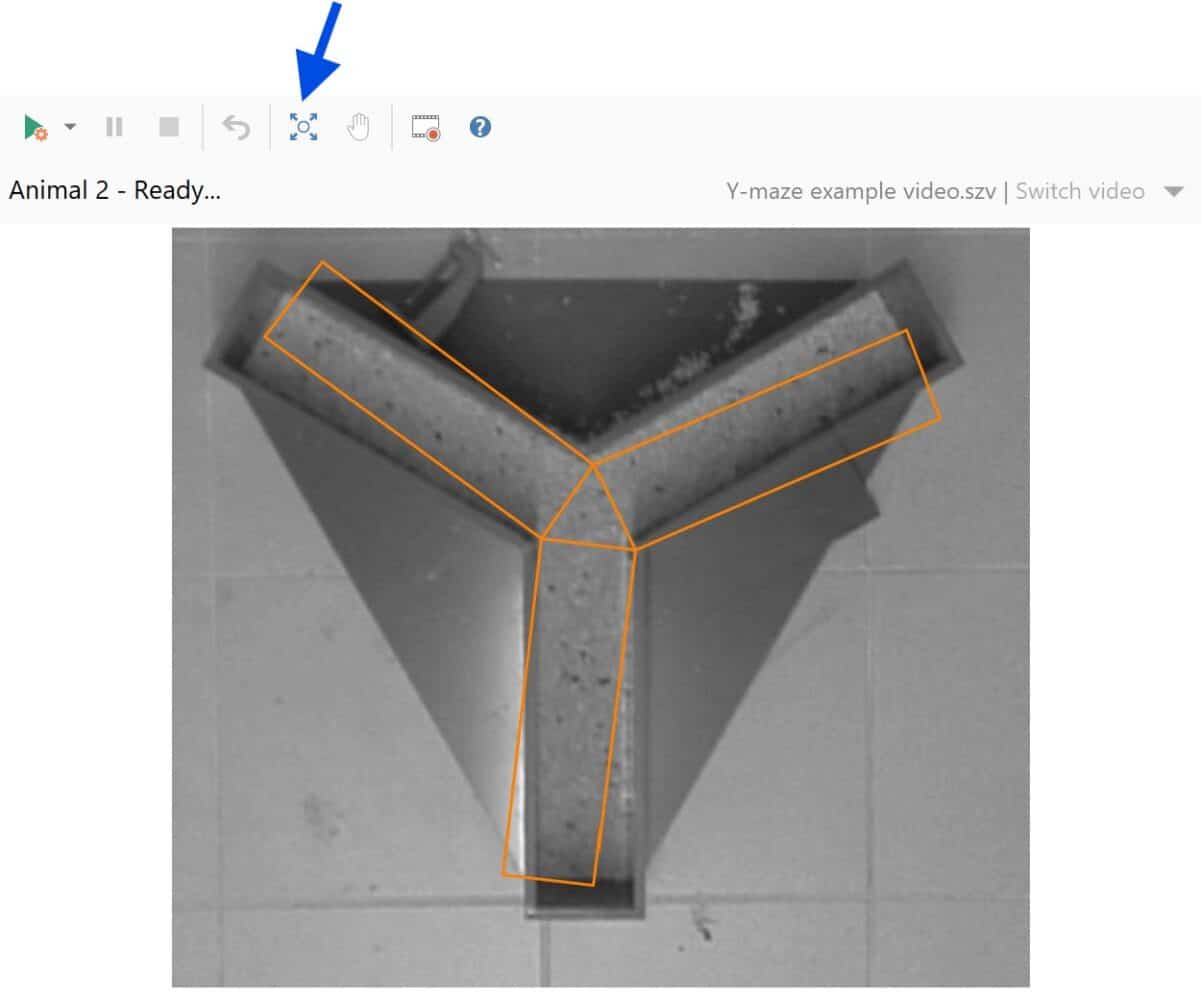
After selecting the tool, hover your mouse over the video image and your cursor will change to one of three configurations:
- Hover in the center to move the map.
- Hover in the corners to expand and contract the map.
- Hover along the 4 edges to rotate the map.
You can also right-click to “Reset adjustments” if you wish to return the original map.
Once you’re happy with your adjustments, click the Adjust the apparatus map button once more to secure the position. ANY-maze will retain this position for all future tests, until you move the map again.
There are some instances in which the map cannot be adequately adjusted. In this case, you may need to create an entirely new Video source and Apparatus to accommodate the askew apparatus. If this is the case, we’re happy to help guide you through this. Just email us at [email protected] with the details, and we’ll get right back to you.