
 Setting up apparatus
 Video capture & tracking
 Observing behaviour
 Connecting equipment
 Automating complex tests
 Running tests
 Results
 Visualising data
 Analysis
 Transferring data
 Open field
 Water-maze
 Y-maze
 Fear conditioning
 Novel object
 Barnes maze
 Radial arm maze
 Light/dark box
 Operant conditioning
 Zebrafish
 Computers
 Multifunction remote
 Accessories
 Digital interface
 Optogenetic interface
 Synchronisation interface
 Relay interface
 Audio interface
 Touch interface
 Analogue interface
 USB TTL cable
 Animal shocker
 Components
 Place preference
 ANY-box
 T-maze
 Zero maze
 Hole board
 Sociability cage
 OPAD
OPAD RAPC
RAPC Waterwheel forced swim test
 Thermal gradient ring
 Operon
 Activity Wheel
 Full ANY-maze licence
 Other licence types
 Developing countries licence
 Contact support
 Support Policy
 FAQs
FAQs Guides
 Downloads
 Send us files
 Activate a licence ID
 Documentation
 Contact us
 Blog
Blog About
About Testimonials
 Privacy Policy
Copy results to other programs
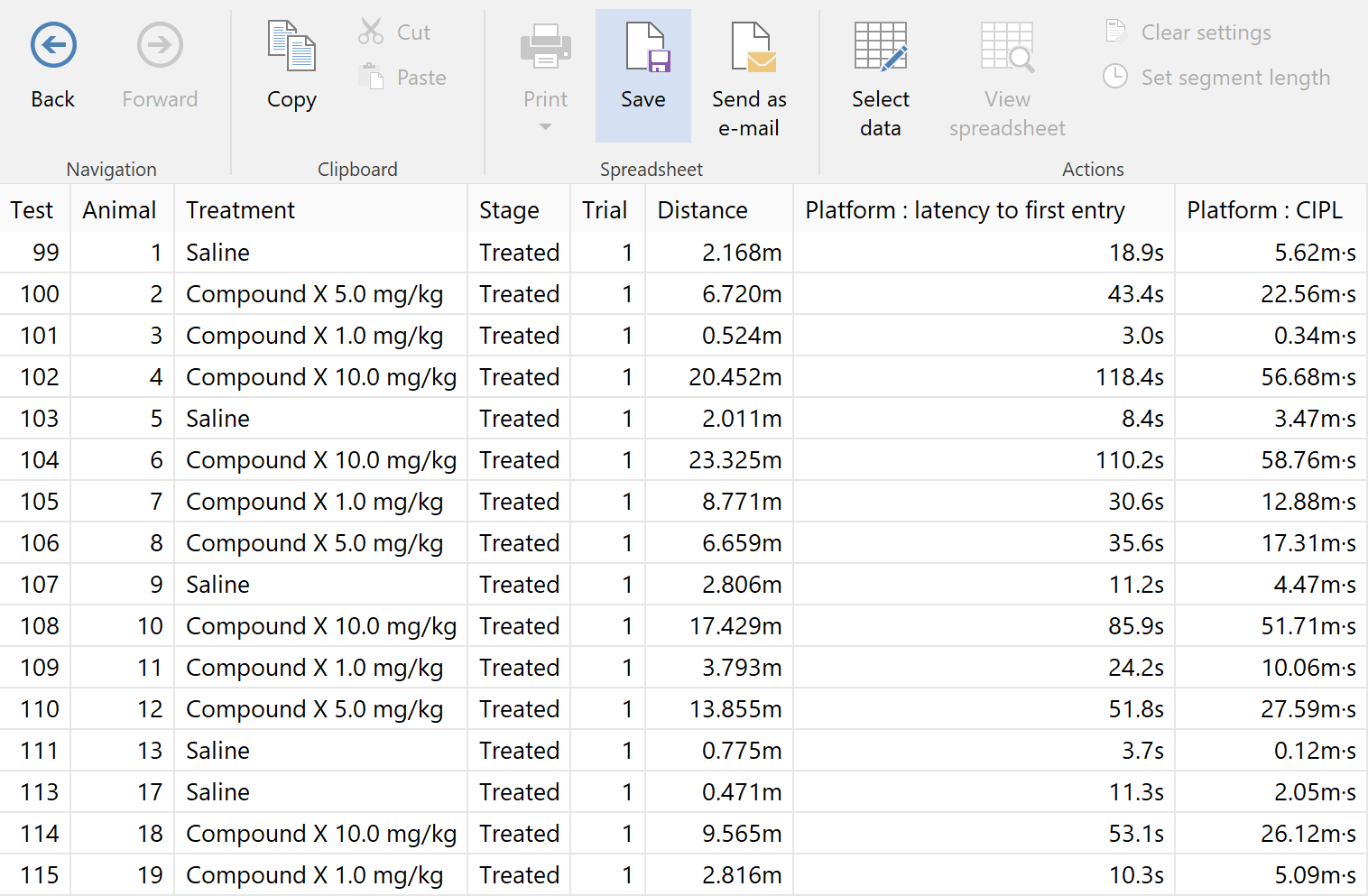
Although ANY-maze can perform quite sophisticated analysis of your results, we don’t pretend that it can replace a full stats program such as SPSS, or a specialist graphing application such as GraphPad, so we’ve made it really easy to move test results to other programs.
The Data spreadsheet has been designed specifically to facilitate data transfer – for example, you can plot repeated measures in separate columns, which simplifies subsequent analysis in SPSS.
The entire spreadsheet, or just a part of it, can be copied and then pasted directly into most programs. Alternatively you can save the spreadsheet to a file in a variety of common formats.
Export tracking data
In some experiments you might want to analyse the actual tracking data recorded by ANY-maze during each test, perhaps using MATLAB scripts.
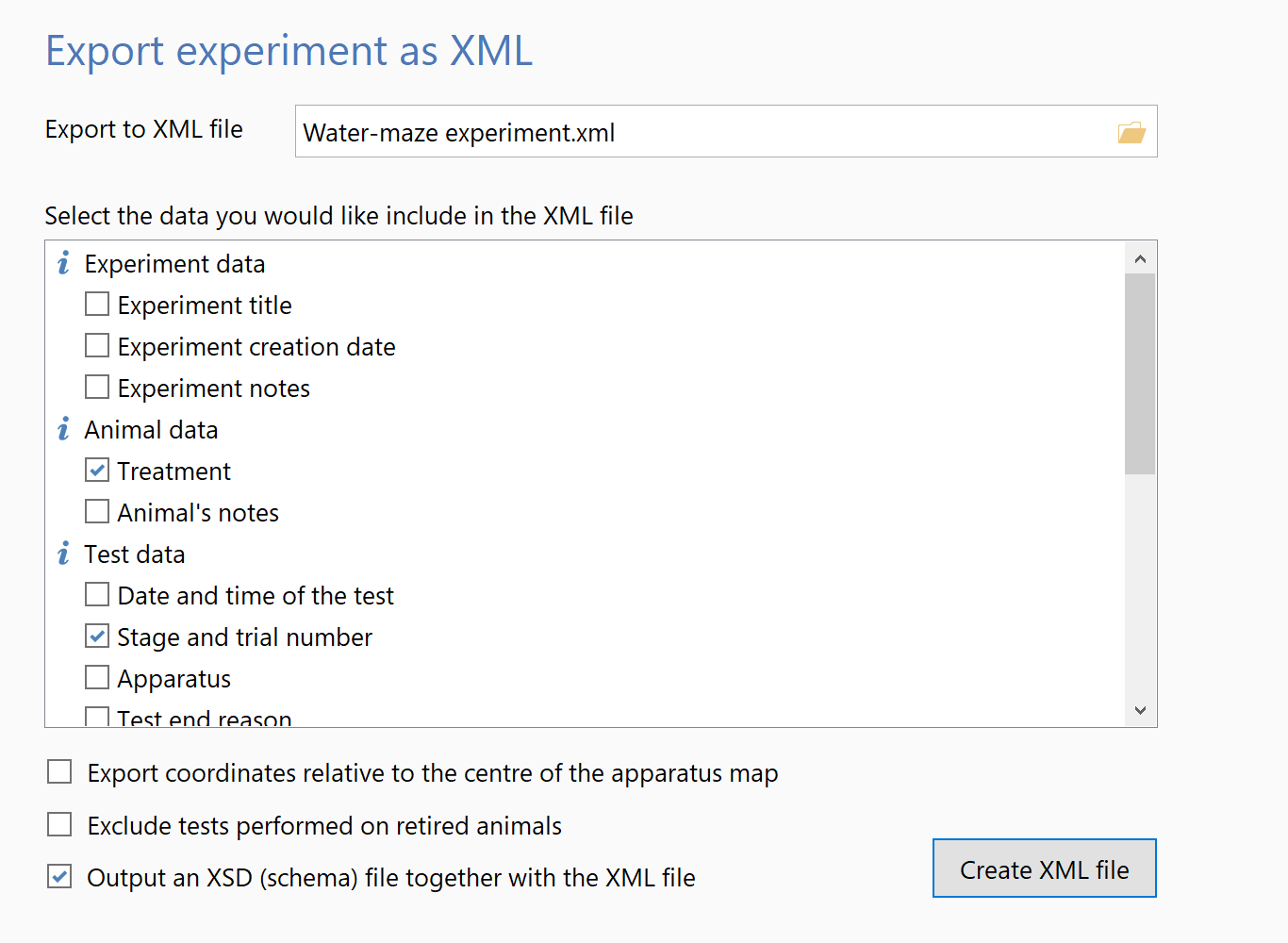
In this case, you can use ANY-maze’s powerful export features, which allow you to either export the tracking data for each test as a CSV file, or export the entire experiment into a single XML file. In the case of XML export, you can choose exactly what data you wish to include – as shown in the image on the right.
Data transfer features
- Simple spreadsheet format shows tests in rows and results in columns
- If analysing across time, the spreadsheet shows test broken down into time periods in rows
- Choose which results to include
- Use filters to just include a subset of all tests / time periods
- Copy the entire spreadsheet or any range of cells to the clipboard
- Save the entire spreadsheet or any range of cells in a variety of file formats
- Save as SYLK (used by Excel), CSV (comma separated values), dBase III/IV format or Tab separated format
- Export entire experiments, including raw tracking data, in XML format
- Export raw tracking data for each test in CSV format